

A parent emails to book a private lesson. You check the instructor’s availability, which means sending them a message. They reply that evening. You offer two times to the parent. One is taken by the time they answer. Meanwhile, someone else has asked to rent a kayak on Saturday, and you are not sure if two of the four are already promised.
For some clubs, this is how private lessons, rentals and facility time get booked: one message at a time, across email, text and a shared calendar that is never quite up to date.
It works when there are a handful of bookings. It stops working when there are dozens a week, several instructors and more than one thing to book.
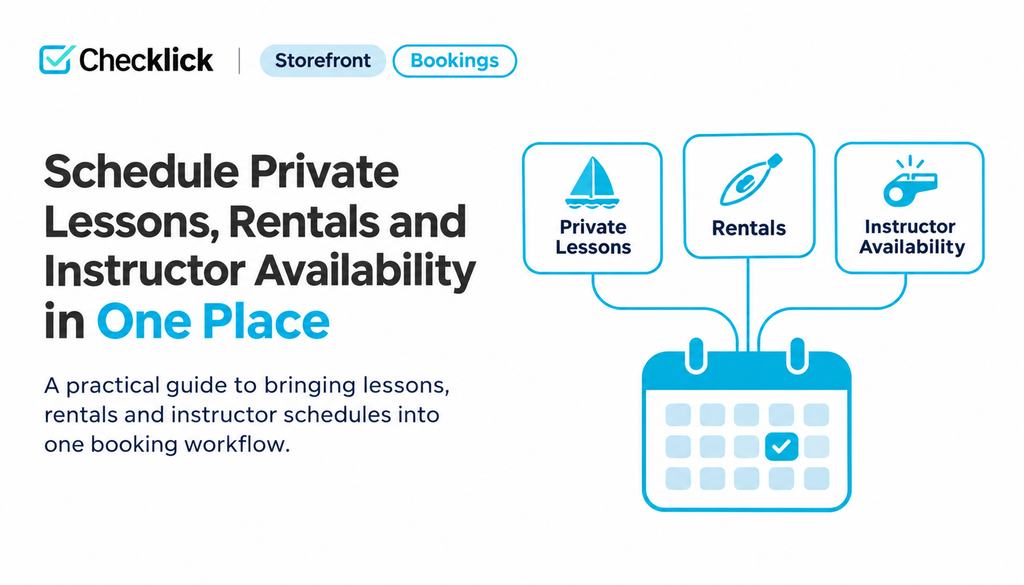
Scheduling everything in one place means families pick a time that is actually available, instructors know when they are booked and the club sees the whole schedule without chasing anyone. Checklick Bookings, part of Storefront, is built for this, and this guide shows how it supports each step.
In this guide, you will learn:
- Why scattered booking creates extra work and double-bookings
- Common problems with scheduling lessons, rentals and instructors
- Five practical steps to bring scheduling into one place
- How Checklick Bookings handles lessons, rentals and instructor availability
Why Private Lesson Booking Needs One Schedule
Time spent coordinating is time not spent coaching
Every booking handled by message takes several back-and-forth steps: check availability, offer times, wait for a reply, confirm, take payment. Statistics Canada reports that formal volunteer hours in sports and recreation organizations fell 34% between 2018 and 2023. For clubs that rely on volunteers or a small staff, that coordination time is hard to spare.
Instructors need to know when they are booked
Private lessons depend on a specific instructor being free at a specific time. If the instructor’s availability lives in their head or their personal calendar, every booking needs a check-in, and every change needs another one.
Rentals and facilities have hard limits
A club with four kayaks cannot rent out five. A court booked for an hour cannot be booked twice. When rentals are tracked on paper or in a spreadsheet, it is easy to promise the same thing to two people.
Many families prefer to book online
Booking a lesson or a court can feel as simple as booking anything else online: see what is free, pick a time, pay and get a confirmation. When the only way to book is to email and wait, some families may look elsewhere.
Common Problems With Scheduling Lessons and Rentals
1. Bookings spread across email, text and calendars
Requests arrive through several channels, and the schedule lives in more than one place. Nobody has the full picture.
2. Instructor availability confirmed by hand
Each private lesson needs someone to check with the instructor first. This slows every booking down and depends on everyone answering quickly.
3. Double-bookings
Without a single live count of what is available, two people can be offered the same boat, court or time slot.
4. Last-minute bookings the club cannot staff
Without a notice rule, someone can book a lesson for an hour from now, before the club has a chance to arrange an instructor or equipment.
5. Payment collected separately
When bookings are confirmed by email, payment can come later, by a different route, and has to be matched up by hand.
6. Changes and cancellations handled by message
When a family needs to move a lesson, the change goes through the same chain of messages as the original booking. The family, the instructor and the club can each end up with a different time written down.
Quick check for your club
- Can families see what is available without emailing you?
- Do instructors know their bookings without being told each time?
- Is there one count of how many rentals are free at any time?
- Is payment taken when the booking is made?
Five Steps to Bring Scheduling Into One Place
Step 1: List everything that is bookable
Write down every service where the date, time and availability matter: private lessons, coaching sessions, boat or equipment rentals, court time, rooms. For each one, note how long a booking lasts and what it costs.
Step 2: Define your resources and who runs them
A resource is the thing being booked: a named instructor, a specific boat, court 2. Decide how many of each are available at once, and which instructor is linked to which lessons or resources. If families should be able to choose a particular instructor or boat, give each one a clear name.
Step 3: Set availability once, not booking by booking
Instead of checking availability every time someone asks, set it in advance: the season, the days and hours each service runs, breaks for lunch or maintenance and dates when you are closed, such as holidays or events. Families can then only pick times that are actually open.
Step 4: Add rules that protect your schedule
A few simple rules help prevent stressful situations:
- Advance notice: require bookings a set time ahead, such as 24 or 48 hours, so you can prepare.
- Booking window: decide how far ahead people can book, such as 30 days.
- Minimum length: for rentals that need a longer slot, require a minimum, such as two hours.
- Customer limits: cap how many slots one customer can book in a day, week or month, so popular times are shared fairly.
Step 5: Take payment at booking and keep instructors informed
Ask families to pay when they book, through the same checkout you use for registrations. Then make sure the assigned instructor hears about each booking, change or cancellation without someone forwarding it.
How Checklick Bookings Helps
Checklick Bookings is part of Storefront. Families pick an available time, then register and pay through the same Storefront checkout your club already uses. Here is how it maps to the five steps.
| Step | Checklick Bookings feature |
|---|---|
| 1. Everything bookable | Create offerings for private lessons and coaching, equipment and boat rentals, or courts, rooms and facilities. Set the length and price of each time slot. |
| 2. Resources and instructors | Set how many resources are available at once and give each a name, such as a boat or court, so families can choose one. Assign coaches or instructors to resources or slots, and let families pick an instructor or have one assigned. |
| 3. Availability | Choose the booking season, days and hours. Add breaks for lunch or maintenance, and lock dates for holidays, events or closures. Families only see times that are open. |
| 4. Protective rules | Require bookings a set time in advance, set how far ahead people can book, require a minimum number of slots and cap bookings per customer. |
| 5. Payment | Families pay through the standard Storefront cart and checkout, with discounts and taxes applied as usual. |
One calendar for managers
Managers see bookings in one calendar, where they can also assign instructors or other resources and reschedule a booking when plans change.
Changes do not break existing bookings
If you add a closure or change your hours, new bookings are blocked for those times, but existing bookings are not cancelled. Managers review those separately.
Pricing
Bookings uses the same pricing as other Storefront products: 4.9% per transaction, with no monthly fee.
Product Example: How a Club Could Set It Up
This is an illustration of the features, not a customer result.
A sailing club offers one-hour private lessons on weekday afternoons and rents out four kayaks in hourly slots. In Bookings, it creates two offerings. For lessons, it names each boat, assigns an instructor to each one and lets families pick a boat and instructor. For kayaks, it sets four available at once with a two-slot minimum.
It opens bookings for the summer season only, blocks the regatta weekend and requires 48 hours’ notice. Families book and pay online, and the club manager sees every booking in one calendar.
Conclusion: One Schedule, No Back-and-Forth
Private lessons, rentals and facility time do not need to be booked one message at a time. When availability, instructors and payment live in one place, families book what is actually free and instructors know where they need to be.
Start with one service: private lessons or a single type of rental. List it, name its resources, set its hours and rules, and take payment at booking. Then share the link and see how much of the back-and-forth disappears.
If your club already registers families through Storefront, Bookings uses the same checkout, so families pay for lessons and rentals the same way they pay for programs.
Ready to make your lessons and rentals bookable? Visit checklick.com to learn more about Bookings, or book a 30-minute call with Dominik.